New to ViralBuddy? This is the fastest path from zero to a finished, on-brand ad. We'll cover what you'll make, when each tool comes in, where the ad goes, and how to build it end to end — in one sitting.
What you'll create
A complete ad: a scroll-stopping visual, conversion-focused copy, and an optional short video — all consistent with your brand. Everything is generated, so there's no designer, copywriter or studio in the loop.
When to use which tool
- Brand Kit first — so everything after is on-brand. See the guide →
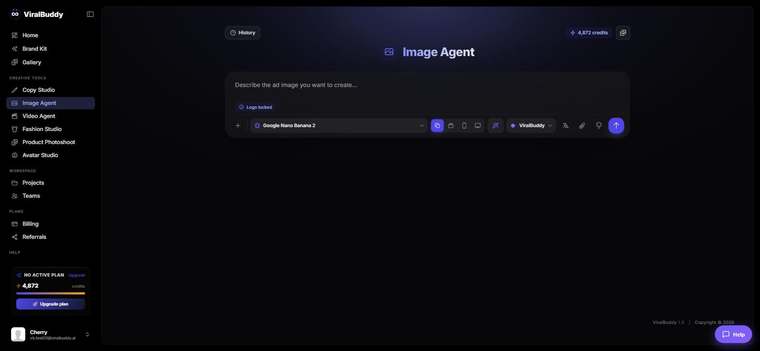
- Image Agent for the visual. See the guide →
- Copy Studio for the words. See the guide →
- Video Agent if you want motion. See the guide →
Where your ad will run
- Paid social: Meta/Instagram, TikTok, LinkedIn, Pinterest.
- Search & display: Google, Performance Max.
- Owned: your site, product pages and email.
How to build your first ad (step by step)
- Set up your Brand Kit — logo, colors, fonts and voice. Open Brand Kit →
- Generate the visual in the Image Agent from a clear prompt. Open Image Agent →
- Write the copy in Copy Studio — a hook, primary text and CTA. Open Copy Studio →
- (Optional) Add motion in the Video Agent for a short-form version.
- Grab everything from your Gallery, then launch and test 2–3 variants.
Pro tips
- Do the Brand Kit first. It makes every later step on-brand with zero extra effort.
- Make variants, not one perfect ad. Let the numbers pick the winner.
FAQ
Do I need design skills? No — describe what you want in plain words.
How long does it take? A complete first ad can come together in one sitting.
How much does it cost? Generations draw from your shared credit balance.
Ready to build your first ad? Start in the Image Agent →
Comments (0)
Be the first to leave a comment.