Talking Photo brings a single image to life — a founder headshot, a character, a mascot — speaking your words. It lives inside Avatar Studio. This guide covers what it is, when to use it, where the videos go, and how to make one.
What Talking Photo is
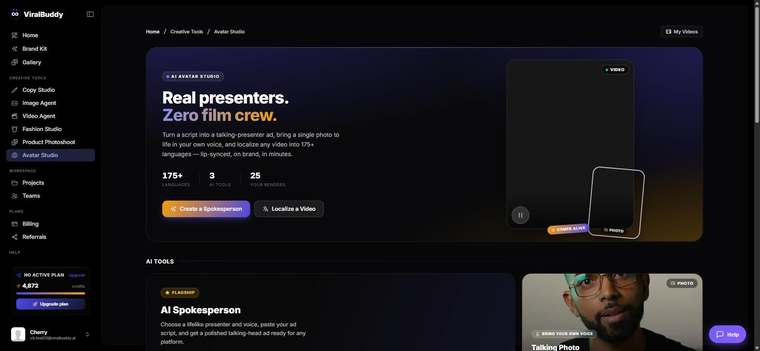
Talking Photo animates a still photo so the person (or character) in it speaks your script with synced lip movement and a natural voice. One image becomes a talking-head video — perfect when you want a specific face, not a stock presenter.
When to use it
- Founder-led ads — put your own face front and center without filming.
- Characters & mascots that speak for your brand.
- Personalized messages at scale from one portrait.
Where to use the output
- Paid social: TikTok, Reels, Shorts, Facebook.
- Owned: landing pages, email, onboarding and support.
How to use Talking Photo (step by step)
- Open Avatar Studio and choose Talking Photo. Open it here →
- Upload a clear, front-facing photo for the best lip-sync.
- Add your script and pick a voice.
- Generate and review; adjust the script or voice as needed.
- Download and ship.
Pro tips
- Use a sharp, well-lit portrait. Front-facing photos animate most naturally.
- Keep it short. A tight 15–30 second message performs best.
FAQ
What photo works best? A clear, front-facing headshot with even lighting.
Can I use a brand character? Yes — any face-forward image can speak.
How much does it cost? Generations draw from your shared credit balance.
Ready to make a photo talk? Open Avatar Studio →



Comments (0)
Be the first to leave a comment.