The Gallery is where everything you create lives — every image, video and generation, saved and searchable in one place. This guide covers what it is, when to use it, where it fits in your workflow, and how to get the most from it.
What the Gallery is
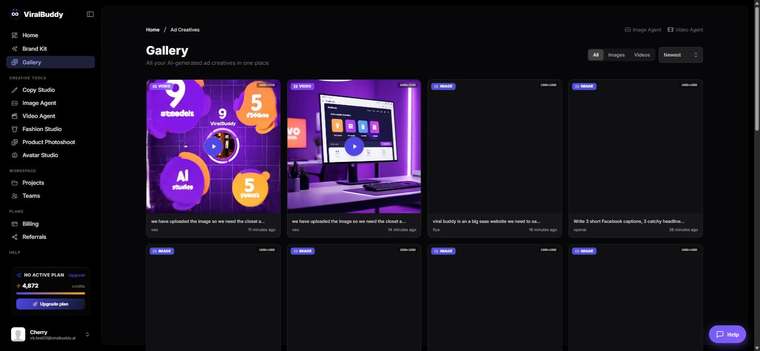
The Gallery is your creative library. Every asset you generate across ViralBuddy's tools is stored here, so you can revisit, download, reuse or iterate on any past result without regenerating from scratch.
When to use it
- Finding past work — grab a generation you made last week in seconds.
- Building campaigns — pull a set of on-brand assets together.
- Iterating — start from a previous result instead of a blank prompt.
Where it fits
- After every tool — Image Agent, Video Agent and the rest save here automatically.
- Before you publish — review and download the final picks for your channels.
How to use the Gallery (step by step)
- Open the Gallery from the menu. Open it here →
- Browse your generations across all tools in one view.
- Open any asset to download it or use it as a starting point.
- Reuse or iterate — send it back into a tool to refine.
- Download the winners for your ads and pages.
Pro tips
- Treat it as your asset bank. Everything's saved — reuse before you regenerate.
- Iterate from a favorite. Starting from a strong result beats starting from scratch.
FAQ
Is everything saved automatically? Yes — your generations are stored as you create.
Can I download originals? Yes — open any asset and download it.
Can I reuse an old result? Yes — send it back into a tool to iterate.
Ready to browse your work? Open the Gallery →

Comments (0)
Be the first to leave a comment.