Change Style restyles a fashion shot — new pose, setting or mood — without a reshoot. It lives inside Fashion Studio. This guide covers what it is, when to use it, where the images go, and how to use it.
What Change Style is
Change Style takes an existing on-model image and reimagines the styling around the garment — the backdrop, the pose, the overall mood — while keeping your product intact. It's the fastest way to refresh a look for a new season or campaign.
When to use it
- Seasonal refreshes — new mood for the same product.
- Campaign variety — multiple looks from one shot.
- A/B testing settings to see which vibe converts.
Where to use the output
- Paid social creative variety by audience.
- Lookbooks, PDPs and campaign hubs.
How to use Change Style (step by step)
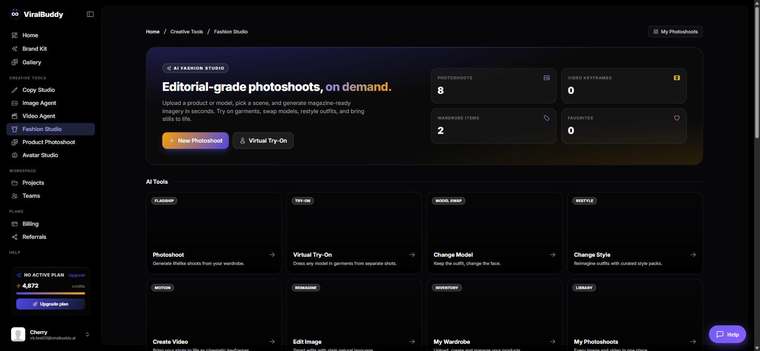
- Open Fashion Studio and choose Change Style. Open it here →
- Upload your on-model image.
- Describe the new style — pose, setting and mood.
- Generate and compare a few directions.
- Download and publish.
Pro tips
- Name the mood. "Editorial studio" vs. "golden-hour street" produces very different results.
- Reuse a recipe. Apply the same style across a collection for consistency.
FAQ
Will my garment change? No — only the styling around it does.
How many looks can I make? As many as you need from one source shot.
How much does it cost? Generations draw from your shared credit balance.
Ready for a new look? Open Fashion Studio →

Comments (0)
Be the first to leave a comment.