AI Spokesperson puts a realistic presenter in your ad to deliver your script — no camera, no actor, no studio. It lives inside Avatar Studio. This guide covers what it is, when to use it, where the videos go, and how to make one.
What AI Spokesperson is
AI Spokesperson generates a talking-presenter video from a script. Choose a presenter and voice, paste your words, and it produces a natural-looking clip of a person delivering your message straight to camera — the format that powers so many high-performing social ads.
When to use it
- Spokesperson ads — a presenter delivering your hook and offer on TikTok, Reels or Shorts.
- Explainers & announcements where a human face builds trust fast.
- Volume testing — spin up many script and presenter combinations without a shoot.
Where to use the output
- Paid social: TikTok, Instagram Reels, YouTube Shorts, Facebook.
- Owned: website hero videos, product pages, onboarding and email.
How to use AI Spokesperson (step by step)
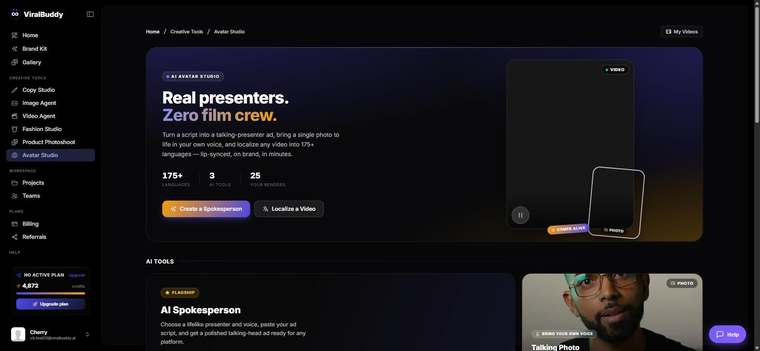
- Open Avatar Studio and choose AI Spokesperson. Open it here →
- Add your script — write it or paste one from Copy Studio.
- Pick a presenter and voice that match your brand and audience.
- Generate and review; tweak the script or delivery until it lands.
- Download and ship — or localize it with Ad Localizer.
Pro tips
- Hook in two seconds. Lead with the problem or payoff before anything else.
- Write for the ear. Short, spoken-style sentences outperform dense copy.
FAQ
Do I need my own footage? No — just a script; the presenter is generated.
Can I reuse the script from Copy Studio? Yes, paste it straight in.
How much does it cost? Generations draw from your shared credit balance.
Ready to put a presenter in your ad? Open Avatar Studio →

Comments (0)
Be the first to leave a comment.